How a private school runs on BARITA.
The full picture of every child, and a timetable that catches its own clashes.
The setting: About 420 students in grades 1 to 9, and 35 teachers.
It started with one simple request.
“I run a private school with around 420 students from grade 1 to 9 and 35 teachers. Class lists, the weekly timetable, grades and messages to parents are all in different places: spreadsheets, a shared drive, chat groups and paper report cards. …”
Read the whole request
I run a private school with around 420 students from grade 1 to 9 and 35 teachers. Class lists, the weekly timetable, grades and messages to parents are all in different places: spreadsheets, a shared drive, chat groups and paper report cards. When a parent asks how their child is doing, nobody has the full picture, and building the timetable each term takes us weeks. I want one place for students, classes and teachers, the timetable, attendance, homework and grades, and a simple way to keep parents informed about their own child, including report cards at the end of each term.
What gets in the way.
Class lists, timetable, grades and messages lived in different places.
Nobody had the full picture when a parent asked.
Building the timetable each term took weeks.
Report cards were on paper at the end of each term.
Watch the crew take it on.
I run a private school with around 420 students from grade 1 to 9 and 35 teachers. Class lists, the weekly timetable, grades and messages to parents are all in different places: spreadsheets, a shared drive, chat groups and paper report cards. When a parent asks how their child is doing, nobody has the full picture, and building the timetable each term takes us weeks. I want one place for students, classes and teachers, the timetable, attendance, homework and grades, and a simple way to keep parents informed about their own child, including report cards at the end of each term.
The request as it was typed.
The requestGive every parent the full picture
The work appears here
How each one is removed.
Class lists, timetable, grades and messages lived in different places.
One school hub for the office, the teachers and the parents, each seeing only what they need.
The app the crew designed
Nobody had the full picture when a parent asked.
A parent opens their own child's attendance, homework and grades; the office sees the same in one file.
The app the crew designed
Building the timetable each term took weeks.
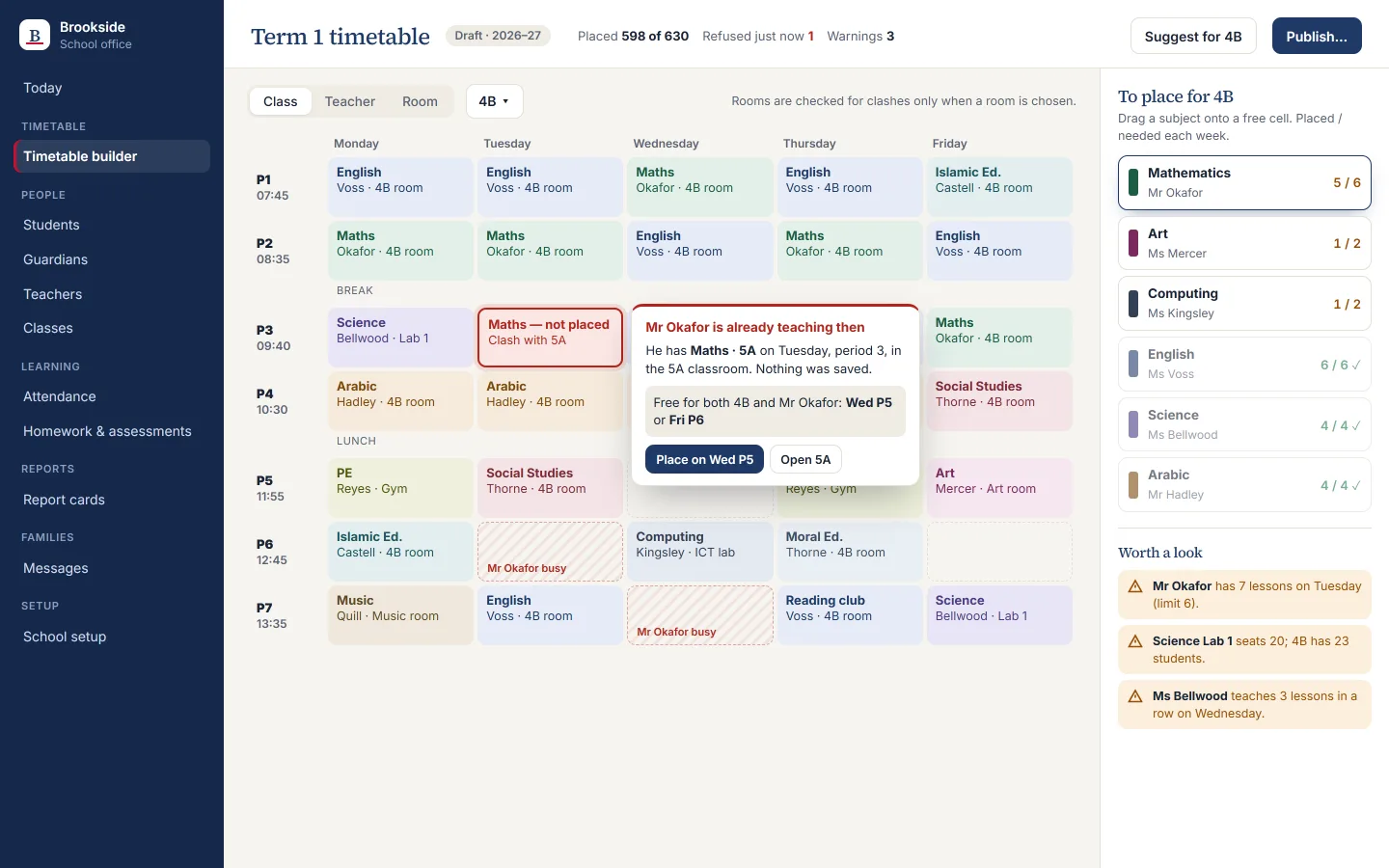
A double-booked teacher, class or room is caught while the timetable is built, not after it is printed.
A routine that runs by itself
Report cards were on paper at the end of each term.
Report cards come from the term's own grades and comments, and each family reads their own child's.
The app the crew designed
What this takes off your plate.
Timetabling without the back-and-forth
The timetable is built in one place, and a teacher, class or room clash is flagged the moment it happens instead of after it is printed.
One app for the teaching day
Registers, homework and grades are entered once. The office sees which registers are missing and which children need a call.
Fewer "how is my child doing" calls
Parents see their own child's lessons, homework, grades and report cards themselves, in English or Arabic.
Read next
Music academy
No double-booked rooms. No forgotten makeup lessons. No guessing who has paid.
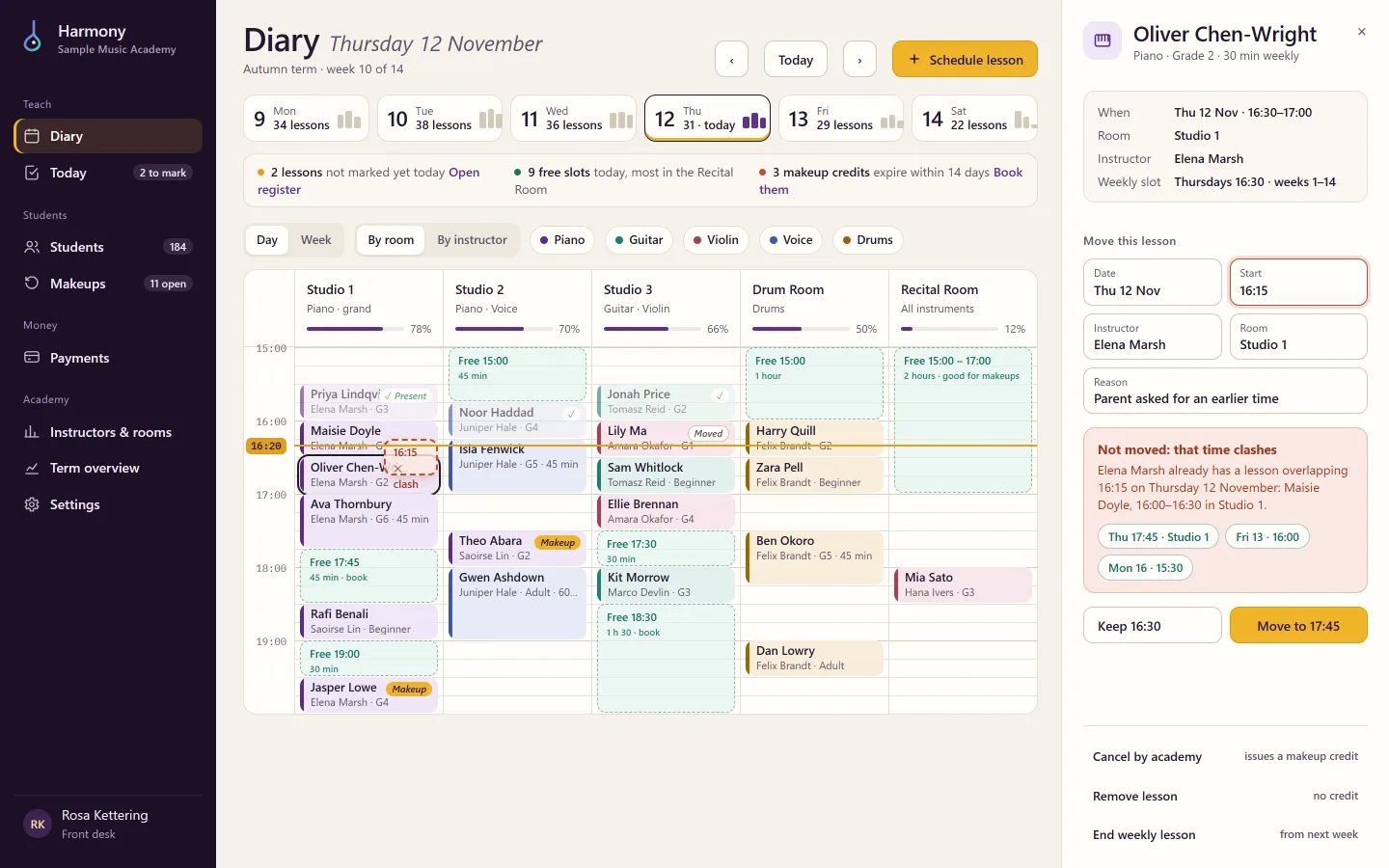
Rooms were double-booked and makeup lessons were a mess. The crew designed a diary-first app for the front desk, the instructors and the owner.
Your turn. One message is enough to start.
Say what your business needs in your own words. The crew plans it, shows you the screens, and builds once you agree.